Free Terms and Conditions Generator: How to Create Store Policies
Learn what terms and conditions should cover, generate a store-specific draft with Drilify's free Policies Generator, and add the reviewed policy to your store.
Learn what terms and conditions should cover, generate a store-specific draft with Drilify's free Policies Generator, and add the reviewed policy to your store.
Terms and conditions define the rules for using your online store. They can explain who may use the site, how orders and payments work, what conduct is prohibited, how intellectual property is handled, which other policies apply, and what happens when a disagreement occurs.
They are also easy to postpone. Store owners often focus on products, design, payments, and advertising first, then discover a generic terms and conditions template shortly before launch. That shortcut can create a document filled with placeholders, promises that do not match the business, or clauses written for a different country.
Drilify's free Policies Generator gives Shopify and other ecommerce sellers a faster starting point. Enter your store name, URL, country, and contact email, then Drilify generates terms tailored to those details. You can copy the result or download a professionally formatted PDF. The tool currently offers five free attempts per four-hour window and does not require signup.
This article shows how to use the generator, what to review before publishing, and how to add the finished policy to Shopify. It is general information, not legal advice. No generator can determine every law, product rule, subscription requirement, or consumer right that applies to your business. Have a qualified lawyer review the document when the risk, jurisdiction, or business model warrants it.
Why an online store needs clear terms and conditions
Terms and conditions are not universally required in exactly the same form, but they perform several practical jobs for an ecommerce store.
They set customer expectations
A clear policy can describe account rules, product information, payment, order acceptance, cancellations, prohibited uses, intellectual property, third-party services, disclaimers, liability limits, and governing law. Customers do not need to guess how the relationship works.
They connect your other store policies
Terms and conditions should not replace your privacy, refund, shipping, contact, or subscription policies. Instead, they can refer customers to those documents and explain how the complete policy set fits together.
LATEST POSTS
More from Drilify
Interviews, tips, guides, industry best practices, and news.
14 min read
11 Best Dropshipping Product Research Tools for 2026
Compare 11 dropshipping product research tools by workflow, current pricing, features, and limitations, including Drilify and useful free resources.
Shopify's official guidance says merchants can manage return, privacy, terms of service, shipping, legal notice, contact, and subscription policies. Shopify also warns that templates are informational, may not cover every business, and do not guarantee legal compliance. The merchant remains responsible for accuracy and for following the published policy.
They make your operating rules visible
Clear terms help document what your store allows and what it may refuse. That can include fraudulent orders, misuse of the site, resale restrictions, inaccurate account details, or prohibited content. The terms should reflect what your team can actually enforce.
They support a more credible checkout experience
Shopify automatically links saved policies in parts of checkout, and merchants can add policy links to store menus and footers. Visible, readable policies help customers understand fulfillment, returns, contact options, and store rules before purchasing.
Important: Never publish a policy simply because it sounds formal. Review every promise, date, contact detail, limitation, and cross-reference against your real business practices.
What should ecommerce terms and conditions cover?
The exact sections depend on your business and jurisdiction, but a useful first review normally considers:
store identity and contact details;
acceptance of the terms;
age or legal-capacity requirements;
account responsibilities;
product information and availability;
pricing, taxes, and payment;
order acceptance, refusal, and cancellation;
prohibited uses and fraud prevention;
intellectual property;
third-party tools, links, and services;
disclaimers and limitations of liability, where permitted;
indemnification, where appropriate;
termination or suspension;
governing law and dispute handling;
changes to the terms;
references to privacy, returns, shipping, and subscription policies; and
a last-updated date.
Do not add clauses you do not understand. Some terms may be restricted or unenforceable in particular markets, especially where consumer-protection laws apply. Regulated products, subscriptions, children's services, international sales, and sales into the European Economic Area can require additional disclosures or rights.
How Drilify's free Policies Generator works
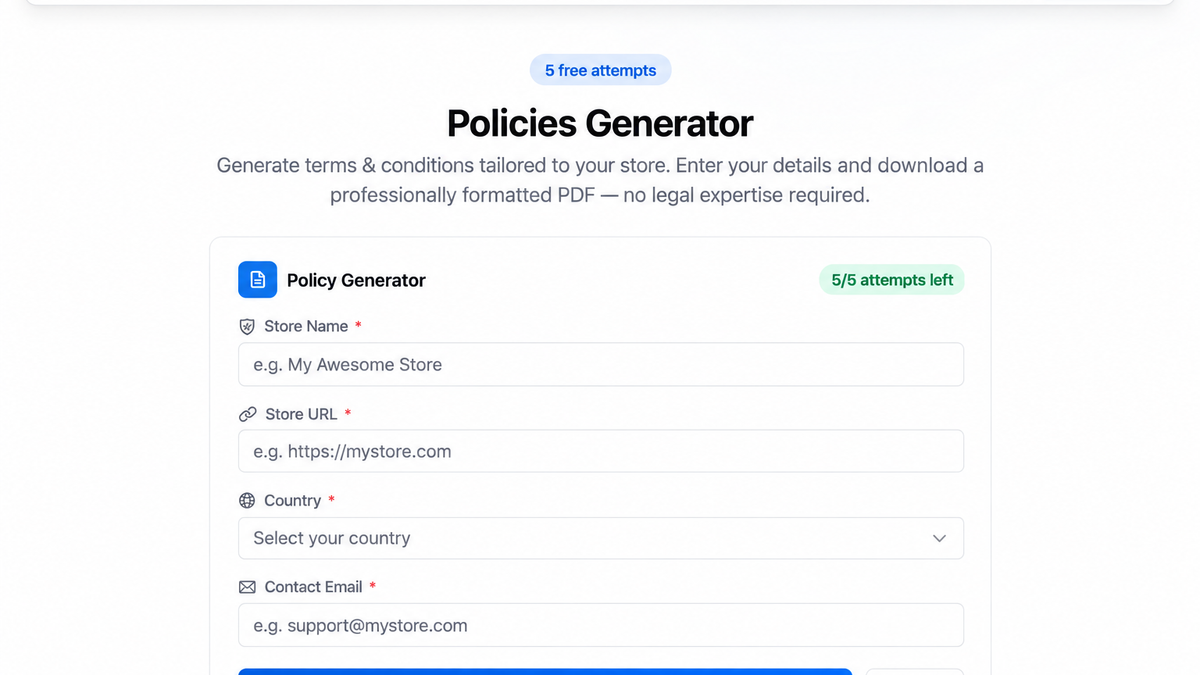
Open the Drilify free tools page and scroll to Policies Generator. The live tool asks for four required fields:
Store name: The customer-facing name used in the document.
Store URL: The web address connected to the terms.
Country: Used to add country and governing-law context.
Contact email: The address customers can use for policy questions.
Drilify asks for the store name, URL, country, and contact email before generating a policy draft.
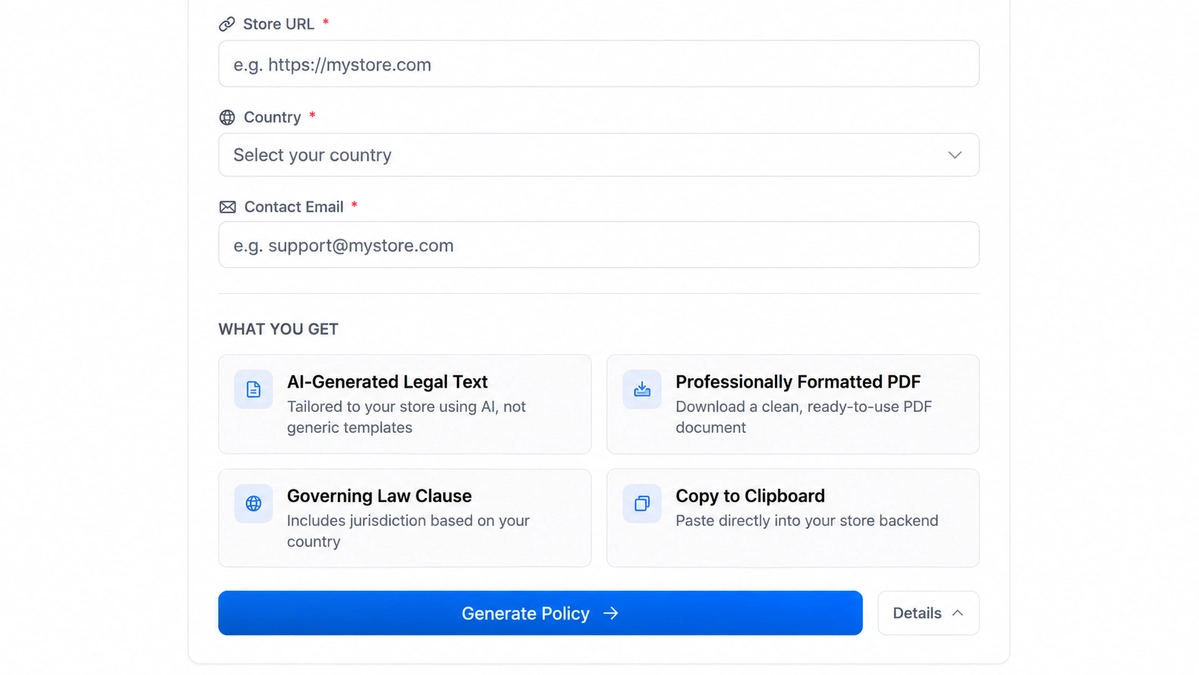
Drilify then produces AI-generated legal text tailored to the submitted store details. The expanded tool information shows four output benefits: store-tailored text, a professionally formatted PDF, a governing-law clause based on the selected country, and copy-to-clipboard support.
The Policies Generator provides AI-generated text, a governing-law clause, clipboard copying, and a formatted PDF download.
The generated document is a starting draft. Drilify's PDF includes a reminder to check the policy before publishing. You should confirm the wording against your actual products, delivery model, payment methods, customer locations, and legal obligations.
Step-by-step: create Shopify terms with Drilify
Step 1: Gather accurate business details
Before opening the generator, confirm the store name, public URL, operating country, and a business contact email you are comfortable publishing. Shopify warns that store policies can expose public contact details, so avoid inserting a private address or personal email by accident.
Also gather your related policies. Your terms may need to link to or reference privacy, refund, shipping, and subscription rules.
Step 2: Open the free Policies Generator
Go to Drilify's free tools. Find the Policies Generator section. The free-attempt counter shows the attempts available in the current window.
You do not need to create an account for the free tool. Avoid refreshing or resubmitting unnecessarily because each generation uses an attempt.
Step 3: Enter the store name and URL
Use the same store name customers see in the header, checkout, receipts, and support messages. Enter the canonical public URL, including the correct domain.
Check spelling carefully. These details can appear throughout the generated terms, and an incorrect URL or trading name weakens the document immediately.
Step 4: Select the country
Choose the country that best represents the business context for the policy. Country selection helps Drilify include governing-law language, but it does not perform a complete legal analysis of every place where you sell.
If your business is registered in one country, operates from another, and sells broadly across markets, legal review becomes more important. Consumer rights may follow the customer's location even when your terms identify a governing law.
Step 5: Add the public contact email
Enter a monitored support or legal contact address. Customers should be able to reach the store about the terms, orders, complaints, or rights described in the policy.
Do not use an inbox nobody checks. Your policy should match the contact information and support process shown elsewhere on the store.
Step 6: Generate the policy
Select Generate Policy. Drilify uses the submitted fields to create a structured terms and conditions draft. When the result appears, read it inside the tool before downloading anything.
Check that the document uses the correct store identity, URL, email, and country. Then review every section against the checklist below.
Step 7: Review and customize the result
Ask the following questions:
Does the product and service description match what the store sells?
Are pricing, payment, cancellation, and order-acceptance statements accurate?
Do references to refunds, returns, shipping, privacy, and subscriptions match separate policies?
Does the policy make promises your operation cannot consistently keep?
Are restricted products, age limits, warranties, or product-specific rules addressed?
Are liability, indemnity, dispute, and governing-law clauses appropriate for the market?
Are all placeholders, generic examples, and irrelevant clauses removed?
Is the contact email correct and monitored?
If you are unsure what a clause means, do not guess. Ask a qualified legal professional to review it.
Step 8: Copy or download the PDF
Drilify lets you copy the generated text for direct editing and download a formatted PDF with headings and page breaks. Keep a dated copy for your records before making further edits.
The PDF is useful as a review and archive document. For the Shopify storefront, you will normally paste the final reviewed text into Shopify's policy editor so checkout and store-navigation links work correctly.
Step 9: Add the policy in Shopify
According to Shopify's policy setup guide, open your Shopify admin and go to Settings > Policies. Add or edit the terms of service, review the content, and save it.
Shopify links saved policies in checkout. You can also add them to a store menu from Content > Menus. The usual direct path for terms is `/policies/terms-of-service` on the store domain.
Review the storefront version after saving. Check formatting, links, mobile readability, contact information, and consistency with the rest of the policy set.
Step 10: Maintain the policy
Terms and conditions are not a one-time launch task. Review them when you change:
business name, address, or contact information;
products or regulated categories;
markets or countries served;
payment, subscription, or fulfillment models;
returns, cancellations, or warranties;
third-party tools or customer-data practices; or
applicable laws and platform requirements.
Add a clear last-updated date and keep copies of prior versions. Shopify can retain policy history for certain policies, but merchants remain responsible for their own records and compliance process.
Drilify vs PiPiADS terms generators
Both tools help sellers move beyond an empty document, but they take different approaches.
Comparison in text
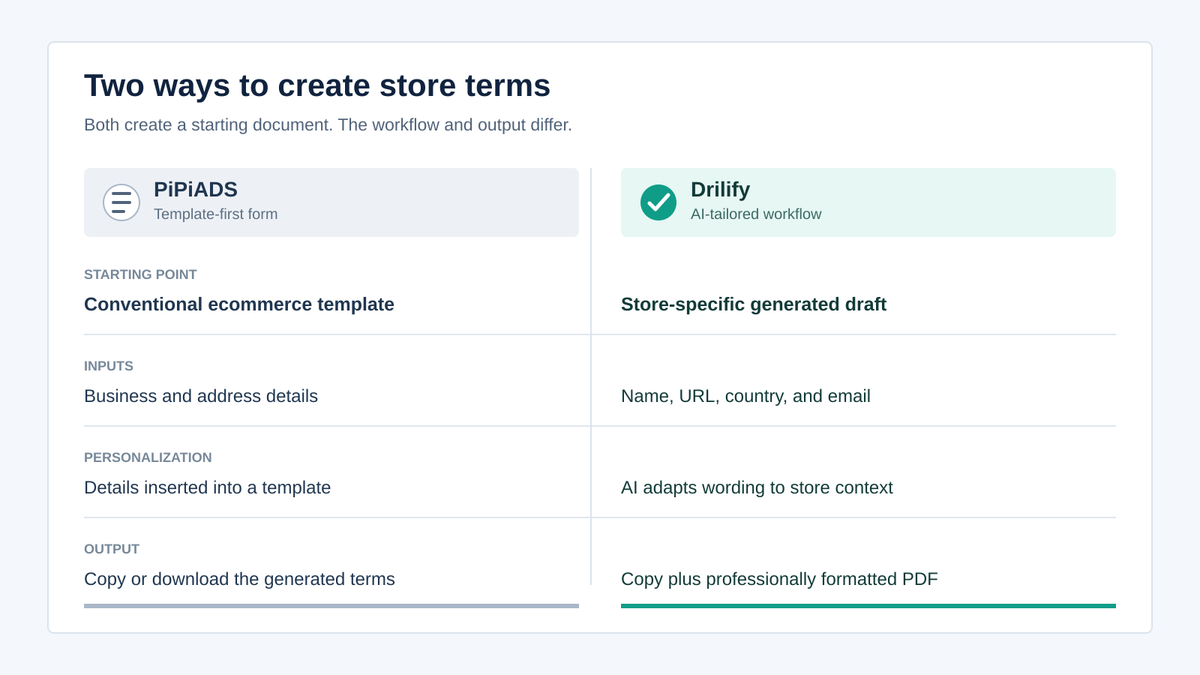
Starting approach: PiPiADS uses a form-populated ecommerce template; Drilify creates an AI-generated draft tailored to the submitted store details.
Inputs: PiPiADS asks for website, company, email, country, region, city, postal code, and address; Drilify asks for store name, URL, country, and contact email.
Personalization: PiPiADS inserts business details into a standard template structure; Drilify generates store-specific wording and jurisdiction context from the supplied fields.
Output: PiPiADS offers copy and document downloads; Drilify offers copy-to-clipboard and a professionally formatted PDF.
Free access: Both are free web tools, while Drilify currently provides five attempts per four-hour window without signup.
Review responsibility: Both results must be reviewed and adapted by the merchant, with legal advice obtained when needed.
PiPiADS uses a template-first form, while Drilify creates an AI-tailored draft from fewer store details and provides a formatted PDF.
PiPiADS is useful when you prefer a long form that fills a conventional template with detailed address information. Drilify is useful when you want a shorter input process and an AI-generated, store-specific draft with a clean PDF output.
Neither approach guarantees compliance. A static template can be too generic; an AI-generated draft can still omit a business-specific rule or produce wording that needs correction. The best workflow is to generate a strong starting document, compare it with real operations and applicable law, then review it before publication.
Common mistakes to avoid
Publishing without reading
Generation saves drafting time, not review time. Read every section and remove anything inaccurate or irrelevant.
Copying another store's terms
Another store may operate in a different country, sell different products, use different payment methods, or carry different legal risks. Copying its terms can import obligations and mistakes that do not belong to your business.
Mixing inconsistent policies
If your terms say orders cannot be canceled but your refund policy allows cancellation before fulfillment, customers receive conflicting instructions. Review the complete policy set together.
Hiding the policy
A policy is more useful when customers can find it. Add links in checkout, the footer, and relevant help or account pages.
Forgetting to update the document
A policy that reflects last year's shipping model or contact email can create confusion. Schedule periodic reviews and update it after meaningful business changes.
Frequently asked questions
Are terms and conditions legally required for every Shopify store?
Requirements vary by jurisdiction, product, and business model. Terms are not universally mandated in exactly the same form, but online sellers often need to provide clear business, consumer, privacy, refund, shipping, subscription, and contact information. Check the laws that apply to your business and customers.
Can I use a free terms and conditions generator for Shopify?
Yes, a free generator can create a useful starting draft. You remain responsible for checking that the content is accurate, complete, enforceable, and consistent with your real practices. Obtain legal review when appropriate.
Is Drilify's Policies Generator really free?
Drilify currently provides five free policy-generation attempts per four-hour window without requiring signup. Limits and availability can change, so check the counter on the live tools page.
What information does the Drilify generator need?
The tool asks for the store name, store URL, country, and contact email. It uses those details to create store-specific terms, including governing-law context based on the selected country.
Can I download the generated terms as a PDF?
Yes. Drilify provides a professionally formatted PDF and copy-to-clipboard support. Review and edit the document before using it on your store.
Where do I add terms and conditions in Shopify?
In Shopify admin, go to Settings > Policies, add or edit the terms of service, review the content, and save. You can then add policy links to store menus. Shopify also displays saved policy links in checkout.
Do generated terms replace legal advice?
No. Drilify, Shopify, and template tools provide starting material, not legal advice or a compliance guarantee. A lawyer can help identify rules specific to your jurisdiction, products, subscriptions, customers, and business structure.
Create your policy draft now
Clear terms make store rules easier to understand, but the policy must match the business behind it. Drilify shortens the first-draft process and gives you a clean document to review, edit, archive, and add to Shopify.
Try the free Terms and Conditions Generator now, then review the result before publishing it to your store.