Best Free Product Research Tools for Dropshipping in 2026
Compare truly free research signals and Drilify's five current public tools, with honest limits, costs, and a practical product-validation workflow.
Compare truly free research signals and Drilify's five current public tools, with honest limits, costs, and a practical product-validation workflow.
The best free product research tools for dropshipping answer different questions. Google Trends checks search interest; TikTok Creative Center and Meta Ad Library reveal creative and advertising signals; Drilify's Margin Calculator tests whether a candidate could leave room for profit. Start with a product idea, then use the right free source for demand, competition, and economics. None can guarantee sales.
Public pages checked October 7, 2026. Fit is editorial; attempts can change.
Comparison in text
Google Trends: Best for: Comparing search interest by time and region; Free price: Free public access; Rating: research fit: High: demand signal.
TikTok Creative Center: Best for: TikTok ad and product inspiration; Free price: Free public resources; Rating: research fit: High: discovery signal.
Meta Ad Library: Best for: Inspecting active Meta ads and creative angles; Free price: Free public access; Rating: research fit: High: competition signal.
Drilify Margin Calculator: Best for: Testing unit economics before a product test; Free price: Five public attempts shown on page; Rating: research fit: High: validation signal.
Drilify Shopify Theme Detector: Best for: Examining a Shopify competitor's storefront setup; Free price: Five public attempts shown on page; Rating: research fit: Medium: competitor context.
Drilify AI Descriptor: Best for: Turning a validated idea into draft listing copy; Free price: Three public attempts shown on page; Rating: research fit: Supporting: listing work.
LATEST POSTS
More from Drilify
Interviews, tips, guides, industry best practices, and news.
14 min read
11 Best Dropshipping Product Research Tools for 2026
Compare 11 dropshipping product research tools by workflow, current pricing, features, and limitations, including Drilify and useful free resources.
Drilify Policies Generator: Best for: Preparing draft store terms; Free price: Five public attempts shown on page; Rating: research fit: Supporting: store operations.
Drilify ShipGuard: Best for: Preparing a draft shipping policy; Free price: Five public attempts shown on page; Rating: research fit: Supporting: fulfillment policy.
The ratings describe fit for the research workflow, not independent accuracy scores or user-review stars. “High” means a direct research or validation task; “Medium” gives supporting competitor context; “Supporting” helps after product selection. Public availability and attempt counters were checked October 7, 2026, and can change. These are not eight interchangeable product databases.
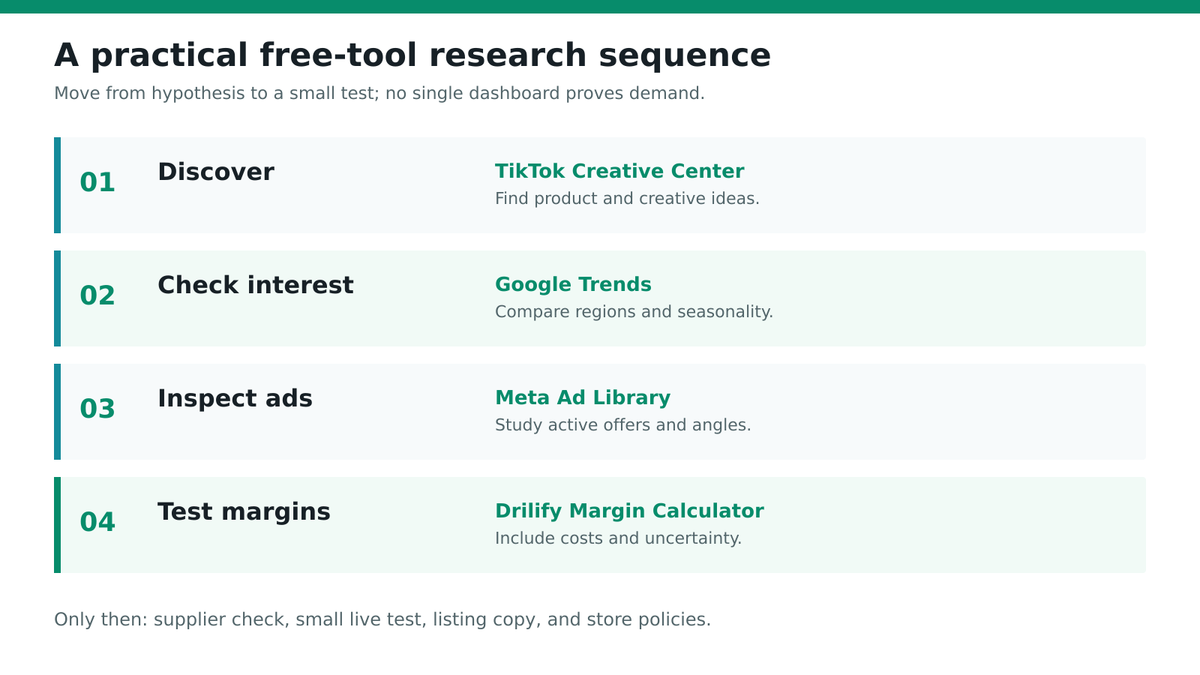
Original editorial diagram. Use discovery signals, then competitor context, then margin validation; listing and policy tools belong after product selection.
How to use free tools without mistaking a signal for proof
Pick one market and a narrow product category before opening five dashboards. Write down what would disqualify an idea: a margin below your target, a shipping time your customers will not accept, or a saturated ad angle you cannot improve. Save the date, region, and search terms behind every result. A spike in Google search interest, an active ad, and a positive calculator verdict can all be useful, but each measures something different. They are not three confirmations of the same sales number.
For a simple research pass, collect five candidate products from trends or ad examples. Compare one market and time range for each. Inspect competing offers and creative, then estimate landed cost, shipping, fees, returns, and acquisition cost. Keep only the candidates worth a small real-world test. If a tool does not answer one of those decisions, it may still help you launch, but it is not a discovery tool.
Google Trends: free search-demand context
Google Trends is useful when you have a product concept and want to see whether related searches are rising, seasonal, or concentrated in a particular country. Compare an exact product phrase with a broader category term, and change the location to the country where you plan to sell. Google explains that Trends values are normalized from a sample of searches; the 0–100 scale is relative interest, not an absolute count of buyers or monthly orders.
Key features. Explore interest over time, compare terms or topics, inspect regions, and find related searches. Those views can help distinguish a one-week social spike from an idea with recurring seasonal demand. Price. Public Explore access is free, though some newer capabilities may ask for sign-in. Pros. It is fast, geographically useful, and independent of any one marketplace. Cons. Low-volume terms may have sparse data; broad wording can mix unrelated intents; rising searches do not prove customers will purchase. Best for. Screening demand direction before spending on samples or ads.
Google's own Trends data FAQ warns that a spike should be one input among others. If you sell a visual impulse product, pair search data with creative research. If you sell a replenishment item, look at multiple years and regions instead of just the last seven days.
TikTok Creative Center: free product and creative inspiration
TikTok Creative Center provides public trend and ad inspiration. TikTok describes its Top Products and Top Ads resources as ways to find products and creatives that are gaining attention on its platform. Search by a category that matches your store, and inspect the video itself: what problem is demonstrated, how quickly the benefit appears, and which audience the offer seems to target.
Key features. Top Products, Top Ads, trend discovery, and creative examples; available views may vary by region or sign-in state. Price. TikTok describes Creative Center as a free public resource. Pros. Video evidence can reveal useful demonstrations and angles that a keyword list misses. Cons. Popular creative is not proof of profit, supplier quality, or durable demand; a product that performs on TikTok may not fit your own traffic channel. Best for. Generating and testing creative hypotheses for visual products.
Do not copy a competitor's video or promise. Write down the customer problem, the proof shown, and the information missing. Then ask whether your supplier can genuinely support the same claims. A useful creative angle can be adapted ethically; an unsupported product claim cannot.
Meta Ad Library: free active-ad research
Meta Ad Library lets you search ads currently running across Meta technologies by keyword or advertiser. It is a practical way to see how stores frame a product, what offers they test, and whether a category has many active advertisers. Start with a product term, then search a few likely competitors. Record the message, format, landing page, and date rather than relying on memory.
Key features. Keyword and advertiser search, active creative, and advertiser context. Price. The public library is free. Pros. You can inspect real live creative without paying for a specialist spy tool. Cons. It does not reveal a store's true profit, conversion rate, or supplier margin. An ad remaining active may be a useful clue, but it is not conclusive proof of success. Best for. Understanding competitive positioning and finding claims or formats to test independently.
Meta's Ad Library information describes the public search surface. When comparing several ads, avoid mistaking repeated creative for independent proof. One advertiser can run many variants. Use the library to ask better questions about differentiation, not to declare that an advertised item is a winner.
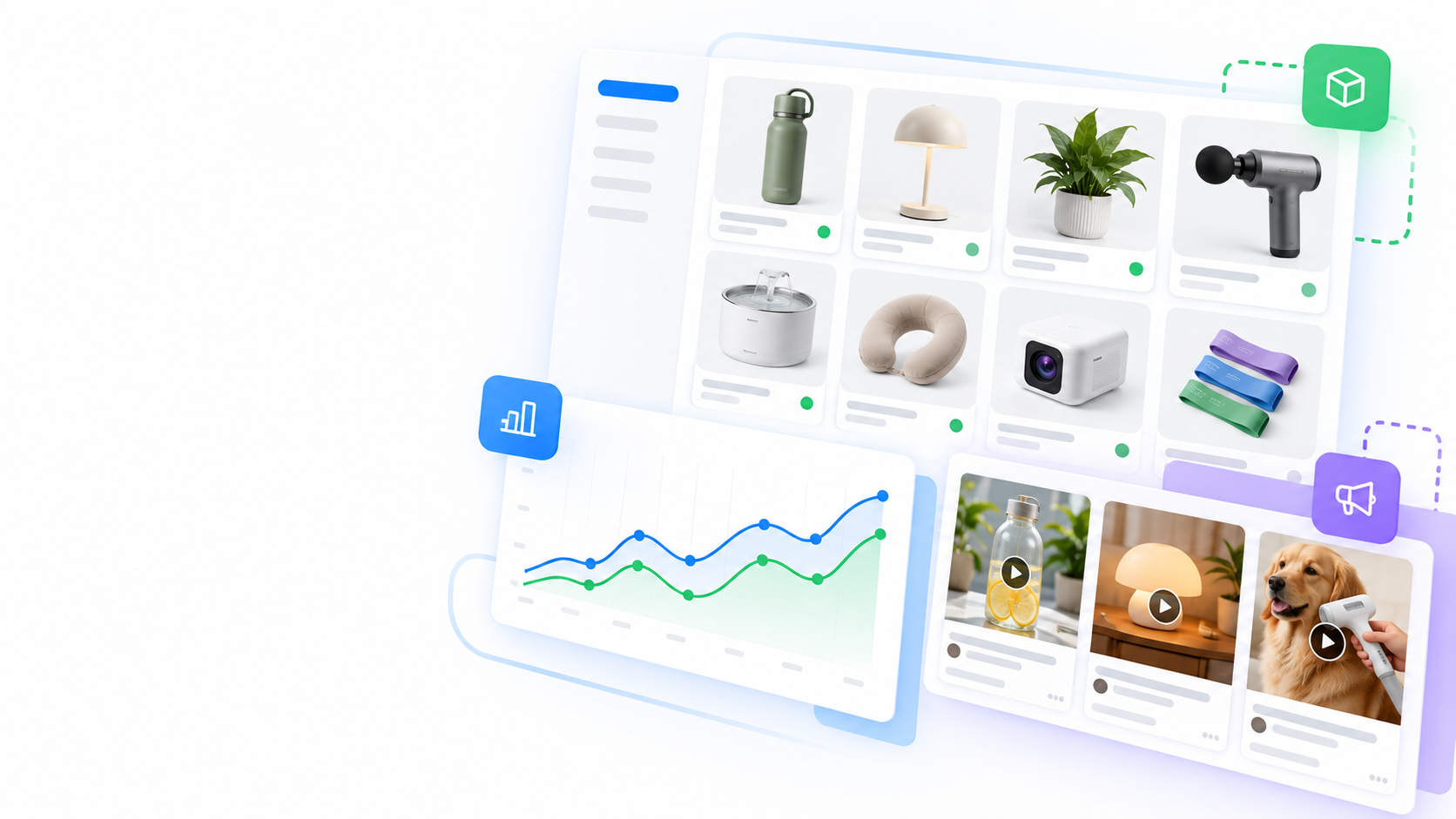
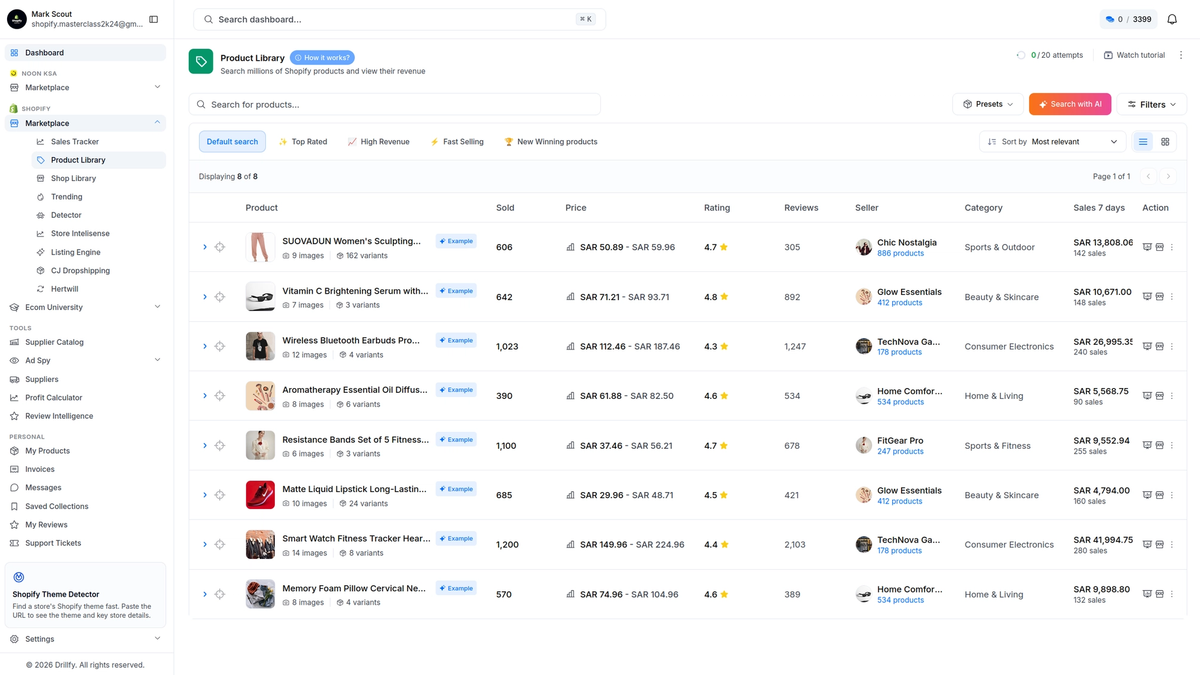
Official Drilify Product Library marketing-page illustration. This is a paid research-product page, not a screenshot of the free tools or proof of a particular product's sales.
Drilify's free Margin Calculator is the most directly useful of its public tools once you have a candidate and a rough supplier quote. Its visible form starts with selling price, product cost, shipping cost, ad cost per sale, and platform fees. The page says its deeper analysis can factor in returns and VAT and provide a GO, PAUSE, or AVOID verdict. The public page showed five remaining attempts in a fresh session when checked.
Key features. Unit-cost inputs, margin analysis, and a decision-oriented verdict. Price. Limited no-signup attempts are shown on the live page; it is not an unlimited free version of Drilify's paid Product Library. Pros. It forces costs into the conversation before a seller labels an item a winner. Cons. Its output is only as good as the costs entered. Supplier defects, chargebacks, creative production, and changing ad prices can move the real margin. Best for. Rejecting fragile products before buying inventory or launching ads.
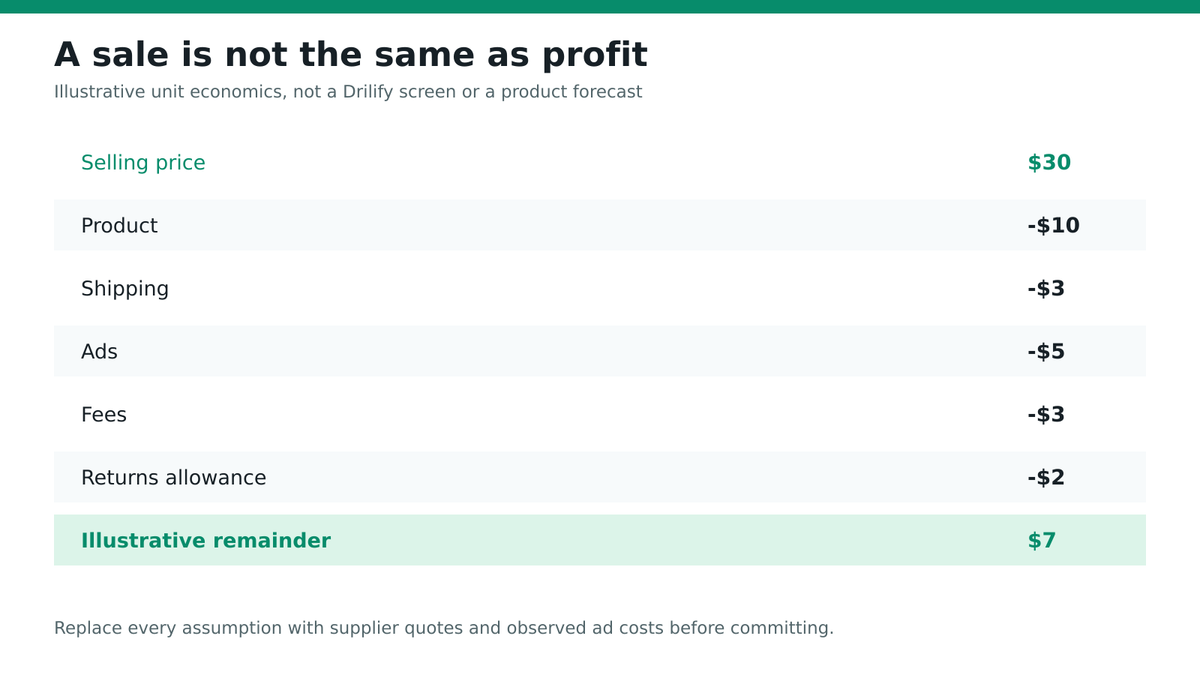
For example, a $30 selling price and $10 product cost do not mean $20 profit. Add shipping, transaction or platform fees, realistic advertising cost, and a return allowance. Run a conservative case as well as an optimistic case. If the decision changes with a small cost increase, the product needs more evidence or a better offer. Drilify's Product Library is a separate research product; the calculator tests economics rather than discovering products for you.
Original editorial diagram, not an app screenshot. A selling price becomes a meaningful product decision only after all major costs and uncertainty are included.
The Shopify Theme Detector is a fifth live tool on Drilify's current free-tools page, even though an older planning brief listed four. Paste a public Shopify store URL to see the theme name and publicly surfaced store details such as currency, product count, and social links. The live page showed five free attempts when checked. This is competitor context, not a direct demand forecast.
Key features. Theme identification and a compact store profile. Price. Limited public attempts, with the current counter visible on the page. Pros. A quick look at a competitor's storefront can help you understand presentation and category breadth. Cons. Theme choice does not tell you whether a store is profitable, how much it spends on ads, or why customers convert. Results may differ when a store heavily customizes its theme. Best for. Planning an offer or storefront after you have a plausible product category.
If you need more detailed Shopify competitor context, Drilify has a separate Store Intelligence product page. Its public description includes estimated traffic and revenue signals, but estimates must not be treated as audited store records. Use the free detector to form questions, not to claim knowledge of another business's financial performance.
Official Drilify Store Intelligence marketing-page illustration. It depicts a separate product and is not the free Theme Detector interface.
Drilify AI Descriptor: free listing-copy draft, not discovery
The AI Descriptor accepts a product name, features, and target audience, then drafts a description and related listing copy. The live page showed three free attempts. This can help a seller explain a product clearly after selecting it. It cannot establish that customers want the item, that a supplier's specifications are true, or that the copy complies with every marketplace rule.
Key features. Product description and visible SEO-oriented listing fields; the free and advanced outputs may differ. Price. Three public attempts were shown when checked. Pros. It can produce a useful first draft quickly and help you articulate benefits. Cons. Generated claims require human fact-checking, and copy quality depends on accurate product inputs. It is not a keyword-volume tool or a product database. Best for. Merchandising a candidate you have already validated.
Cross-check the drafted text against supplier specifications and the actual item. Remove unsupported guarantees, medical or safety claims, and invented dimensions. Drilify's separate AI Listing Engine is a broader paid product page; do not assume the free widget includes all of its capabilities.
Drilify's Policies Generator asks for basic store details and generates a terms-and-conditions draft that can be downloaded as a PDF. The live page showed five free attempts. It can help with store setup after you know what you sell, but a legal document generator is not a product research or demand-validation tool.
Key features. Store-specific input fields and a downloadable policy draft. Price. Limited no-signup attempts, as shown on the live page. Pros. It can provide a structured starting point instead of a blank page. Cons. Legal obligations vary by location and business model; generated language should be reviewed by a qualified adviser where needed. Best for. Preparing store documentation after product, market, and fulfillment decisions are clearer.
Do not publish a generated policy without checking that it matches your actual returns, contact details, delivery promises, and local rules. A professional-looking PDF is not evidence that the underlying operations are compliant. If you are still searching for a product, spend your limited research time on demand and margins first.
Drilify ShipGuard: free shipping-policy draft
ShipGuard creates a shipping-policy draft from store, country, processing-time, domestic-shipping, and international-shipping inputs. The page presents a PDF download and showed five free attempts when checked. Shipping terms can decide whether a product is viable, especially for heavy, fragile, or cross-border orders, but this tool writes the policy; it does not verify carrier performance.
Key features. Structured fulfillment inputs and a downloadable shipping-policy draft. Price. Limited public attempts. Pros. It makes processing times and shipping promises explicit. Cons. A generated policy can be wrong if supplier lead times, customs, or carrier options are guessed. It is not a shipping-cost calculator or supplier verification service. Best for. Documenting realistic delivery expectations once you have validated the fulfillment route.
Ask your supplier for actual processing times and your carrier for current rates before using the generated language. If your costs or service levels change, update the policy. Product research is not finished when an item looks exciting; it is finished when demand, margin, and fulfillment plausibly fit together.
Which free stack should you use first?
For a visual consumer product, start with TikTok Creative Center to identify a few candidate angles, then inspect Meta Ad Library for competing offers. Use Google Trends to see whether relevant search interest is seasonal or region-specific. Get a real supplier quote and run the Drilify Margin Calculator. The Theme Detector can add Shopify competitor context. Use AI Descriptor and the policy tools only after the product passes the earlier checks.
For a search-led or replenishment product, reverse the opening steps: start with Google Trends and the questions shoppers ask, then inspect ads and storefronts. No free tool covers every marketplace or guarantees a reliable sales estimate. When you need deeper multi-platform product data, Drilify's paid Product Library publicly describes Shopify, WooCommerce, Noon, and Daraz coverage. Check the plan limits and compare them with your actual research volume before subscribing.
Frequently asked questions
Are these free product research tools enough to find a winning product?
They are enough to narrow ideas and form testable hypotheses. They cannot guarantee sales or replace supplier verification, a realistic margin calculation, and a small live test. Treat every dashboard result as a signal with limits.
Which free tool is best for product demand?
Google Trends helps with relative search interest over time and region. TikTok Creative Center helps with product and creative attention on TikTok. Neither directly measures your store's future orders. Choose the signal that matches your selling channel.
Can Meta Ad Library show a competitor's profit?
No. It shows public ad creative and advertiser information, not the advertiser's true margin or conversion rate. An active ad is a clue for further research, not financial proof.
Is Drilify's Margin Calculator the same as its Product Library?
No. The free calculator checks entered economics for a candidate; the paid Product Library is a separate discovery workflow. Using the calculator does not grant unlimited access to product research.
Does Drilify offer four or five free tools?
The live page showed five on October 7: Margin Calculator, AI Descriptor, Shopify Theme Detector, Policies Generator, and ShipGuard. The older planning brief listed four before the Theme Detector appeared. Check the current page for the latest lineup and attempt limits.
Should I use a generated policy without review?
No. Verify it against real shipping, returns, contact, and legal requirements. A generated PDF is a drafting aid, not a substitute for accurate operations or professional advice where needed.
Bottom line
Use free sources in sequence: discover a candidate, check demand and competition, then calculate margin and fulfillment. Drilify's public tools are valuable in the validation and store-setup stages, but only the Margin Calculator directly tests product economics. The other tools should be described honestly for what they do. Try Drilify's free tools, then consider its paid research products only when you know which decision deeper data must improve.